New service inquiries
Bring the vehicle, requested work, customer description, and follow-up details together for the service team.
Keep service inquiries, vehicle details, and customer preferences together—so your front desk and workshop can pick up with the same context.
Discuss your workshop workflow Explore a service inquiry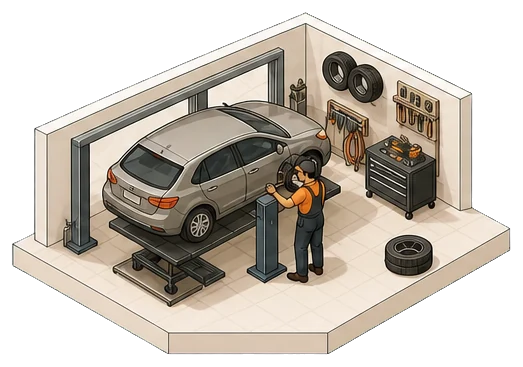
Built around the work in your shop.
From inquiry to shop review
Try changing the customer’s drop-off preference. The request stays ready for review, while availability and confirmation remain with the shop.
The customer’s side
Example vehicle · Details provided by the customer
“I’d like to arrange a routine service. Could we find a time for me to drop the car off?”
This changes the illustration, not a real appointment.
The shop’s next step
The customer prefers to leave the vehicle in the morning.
Preference recorded in the example.
No appointment booked.
Around the work you already handle
Start with one process your team knows well. Define the details, decisions, and systems it needs before expanding.
Bring the vehicle, requested work, customer description, and follow-up details together for the service team.
Organize the available information and questions before the team discusses scope, pricing, and authorization.
Connect a customer’s update request to the relevant work and the person responsible for responding.
Your expertise stays in the workshop
Keep the customer’s words attached. Let the qualified team assess the vehicle and determine what work is needed.
Review the requested service and workshop availability before agreeing the visit with the customer.
Define who reviews the estimate and approves work, with a clear handoff for questions or changes.
A practical first step
We’ll review the tools you use, the details your team needs, and the point where someone takes over. Then test the first workflow together.
See how setup worksBefore you start
Yes. A repeatable request with clear vehicle details and a defined shop review is a useful starting point. We agree the questions, current tools, and handoff with your team.
No. This fictional example collects a drop-off preference. Your team still needs to review the service, availability, and an actual date and time before confirming a visit.
The workflow shown here organizes the customer’s information for the shop. Diagnosis, repair recommendations, and work authorization remain separate decisions for the appropriate people.
We start by reviewing your phone, inbox, scheduling, and workshop tools. Proposed connections and actions are confirmed for your setup, including permissions, review steps, and what happens if information is unavailable.
Bring one recurring request. We’ll map a useful first workflow for your shop.
Map your first workflow